JSX
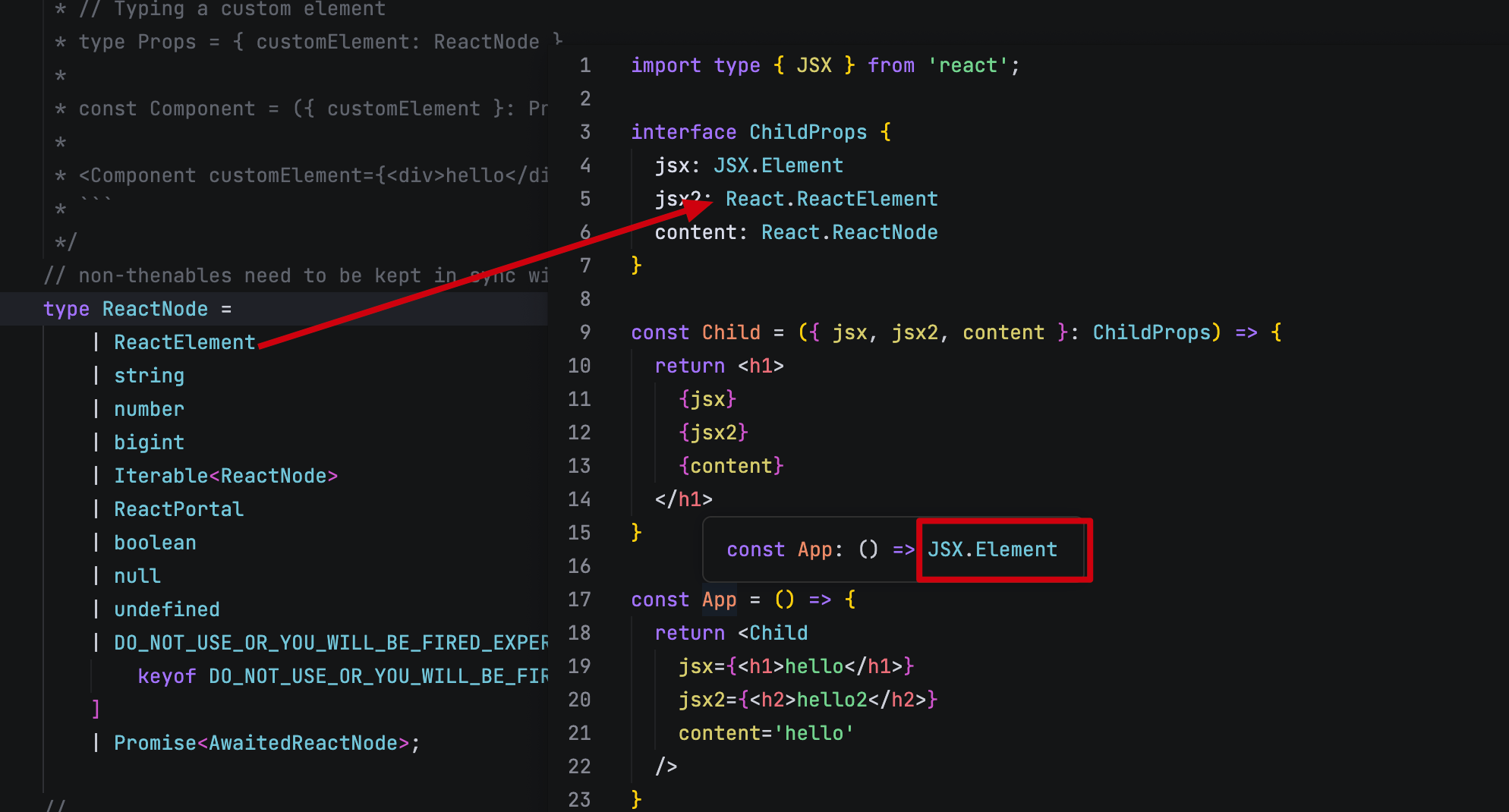
组件默认的类型是 JSX.Element 继承至 React.ReactElement,如果确定需要的是 jsx 参数可以使用该类型。
JSX.Element 需要 import 导入
如果需要不只是 jsx 的类型,可以使用更宽泛的 React.ReactNode 类型。它更宽泛一些。
Function Component
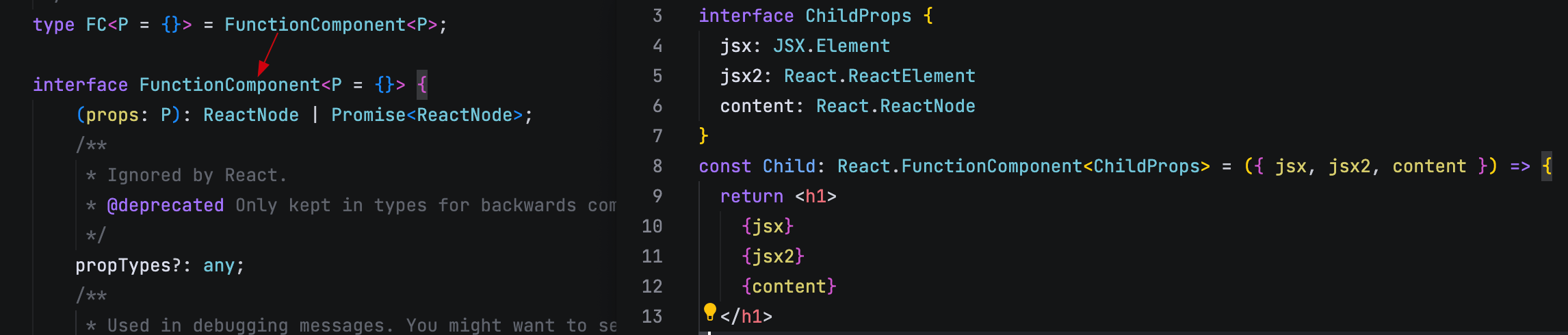
组件的类型有两个 React.FC 和 React.FunctionComponent,它们都是函数组件的类型,接收一个泛型,是props 的类型。
相信更多人会喜欢 React.FC 类型因为它更简洁。
Props
能接收的类型很多,前面的 React.ReactNode 就是其中之一。
当直接使用 interface 等定义 props 时,或许你应该注意,它有一个默认的 children 属性
// 1. 直接定义 props 接口
interface ComponentProps {
  count: number;
  // 一并声明 children 属性
  children?: React.ReactNode;
}

// 2. 使用 React.PropsWithChildren 定义 props 类型
type ComponentProps = React.PropsWithChildren<{
  count: number;
}>;

const Comp: React.FC<ComponentProps> = ({ count, children}) => <div></div>
实际上 React.PropsWithChildren 也是在内部声明了一个可选的 children 属性。
type PropsWithChildren<P = unknown> = P & { children?: ReactNode | undefined };Css Attribute
某些场景下,组件也会需要 css 以及特定的某一组属性,比如 color 等。
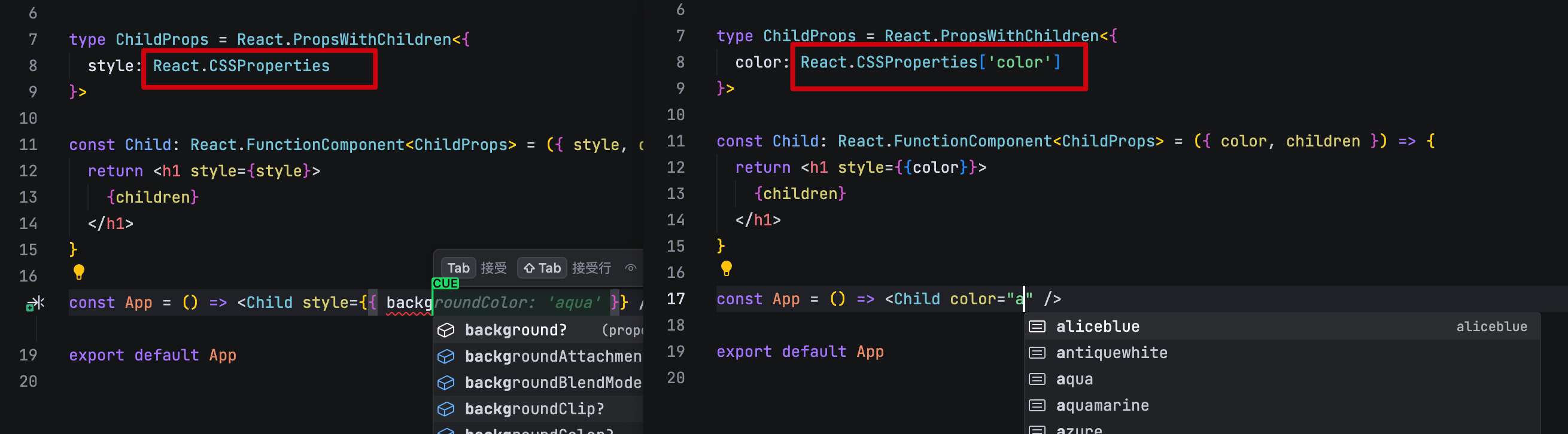
React.CSSProperties 无论是 css 还是具体的某一组属性,都可以使用该类型。
HTML Attribute
接收 HTML 的属性及事件可以使用 React.HTMLAttributes<T> 类型。配合指定对应的标签类型作为泛型参数。
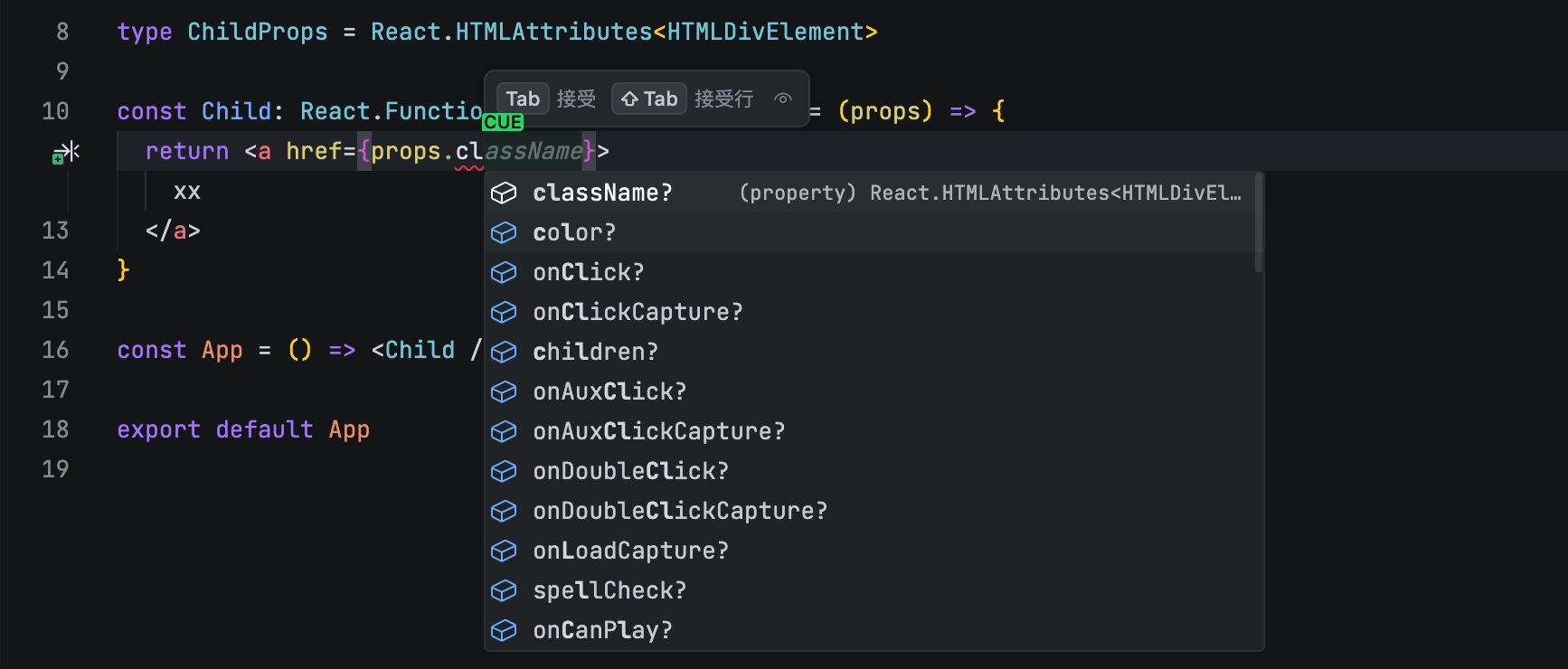
React.HTMLAttributes 只包含基础的 HTML 属性,比如 id、className 等。像 input a 标签等特殊标签则需要使用
type AProps = React.AnchorHTMLAttributes<HTMLAnchorElement>
type InputProps = React.InputHTMLAttributes<HTMLInputElement>
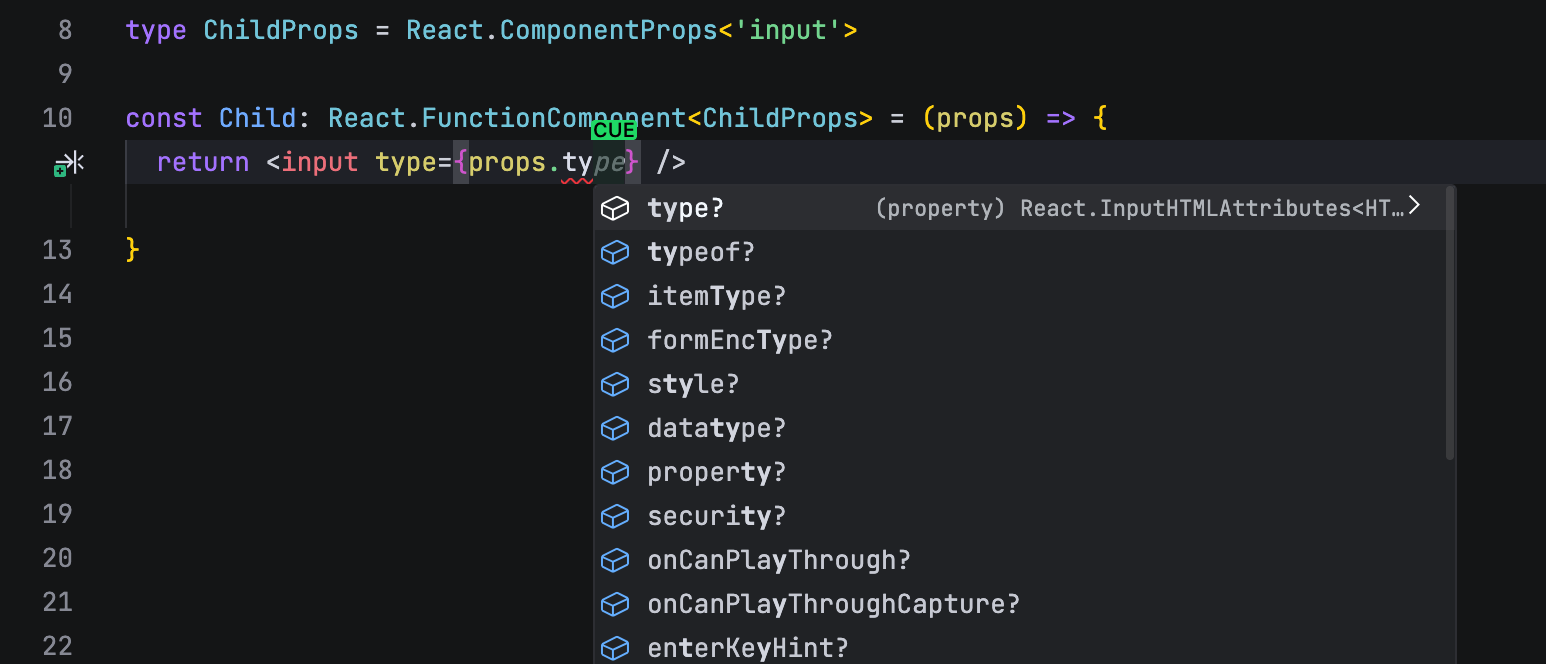
针对此,有一个平替的类型叫 ComponentProps<T> 只需要跟上标签名即可与上述类型保持一致。减少记忆成本。
Event Handler
对于事件函数的类型,有三种方案。
type EventProps = {
  // 1. 定义事件类型
  onClick: (e: React.MouseEvent<HTMLButtonElement>) => void;
  // 2. 使用内置的 handler 类型
  onChange: React.ChangeEventHandler<HTMLInputElement>;
  // 3. 使用基础的事件类型
  onBlur: React.EventHandler<React.FocusEvent<HTMLInputElement>>;
}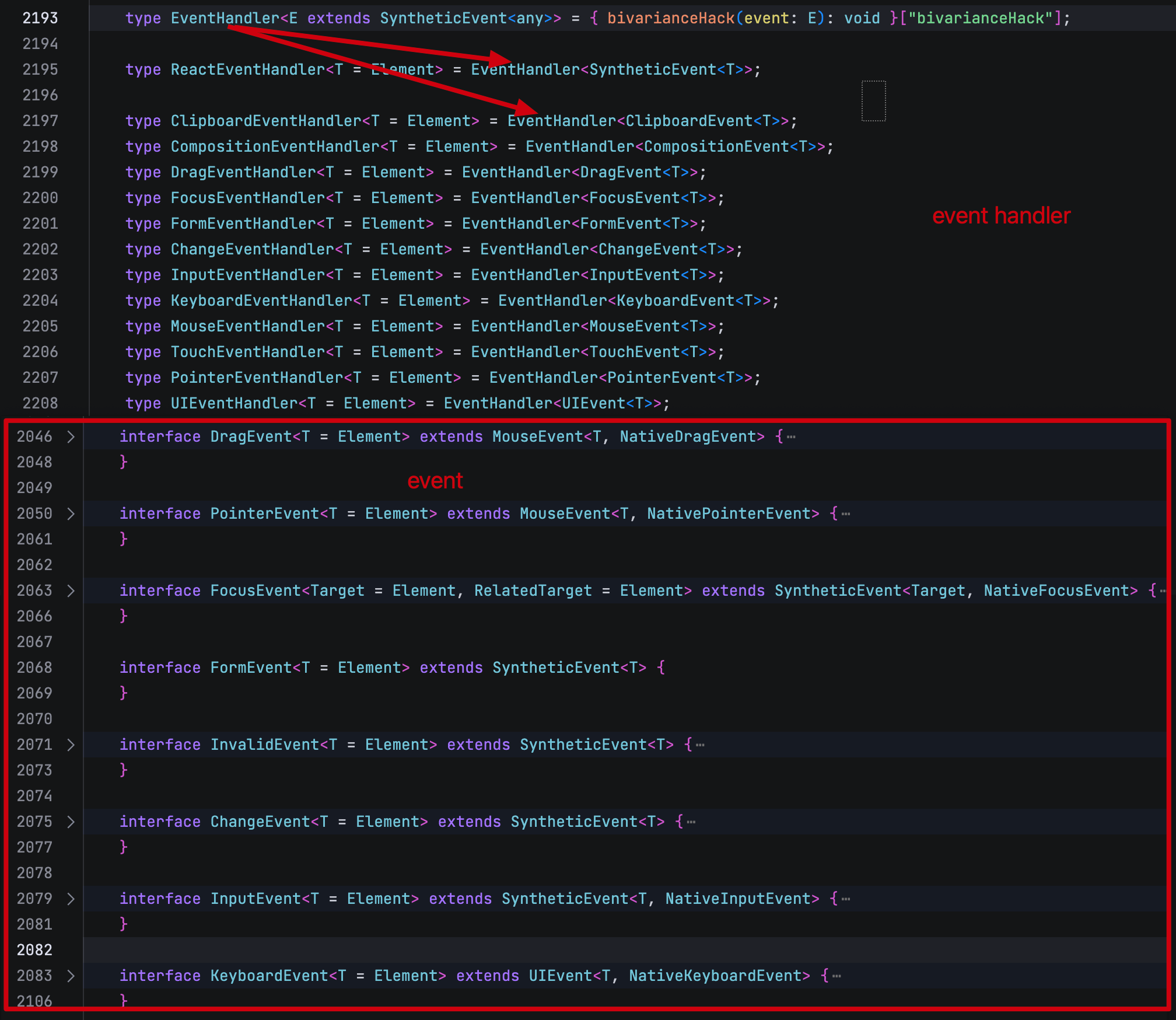
实际 1 2 是常用方案,3 比较底层且书写麻烦
Hooks
useState
useState 的类型一般情况下都可以被推倒出来,如果需要指定类型。值的类型就是泛型参数。
const [count, setCount] = useState<number>(0);useReducer
在 react v19 中,对类型推导有了更完善的支持。一般可以直接使用推导。
interface State { count: number }
interface Action { type: 'increment' | 'decrement'; payload: number }

const reducer = (state: State, action: Action): State => {
  switch (action.type) {
    case 'increment':
      return { count: state.count + action.payload };
    case 'decrement':
      return { count: state.count - action.payload };
    default:
      return state;
  }
}
const [state, dispatch] = useReducer(reducer, { count: 0 });

// v19 类型也做了调整
const [state, dispatch] = useReducer<State, [Action]>(reducer, { count: 0 });

dispatch({ type: 'increment', payload: 1 });
console.log(state.count); // 1
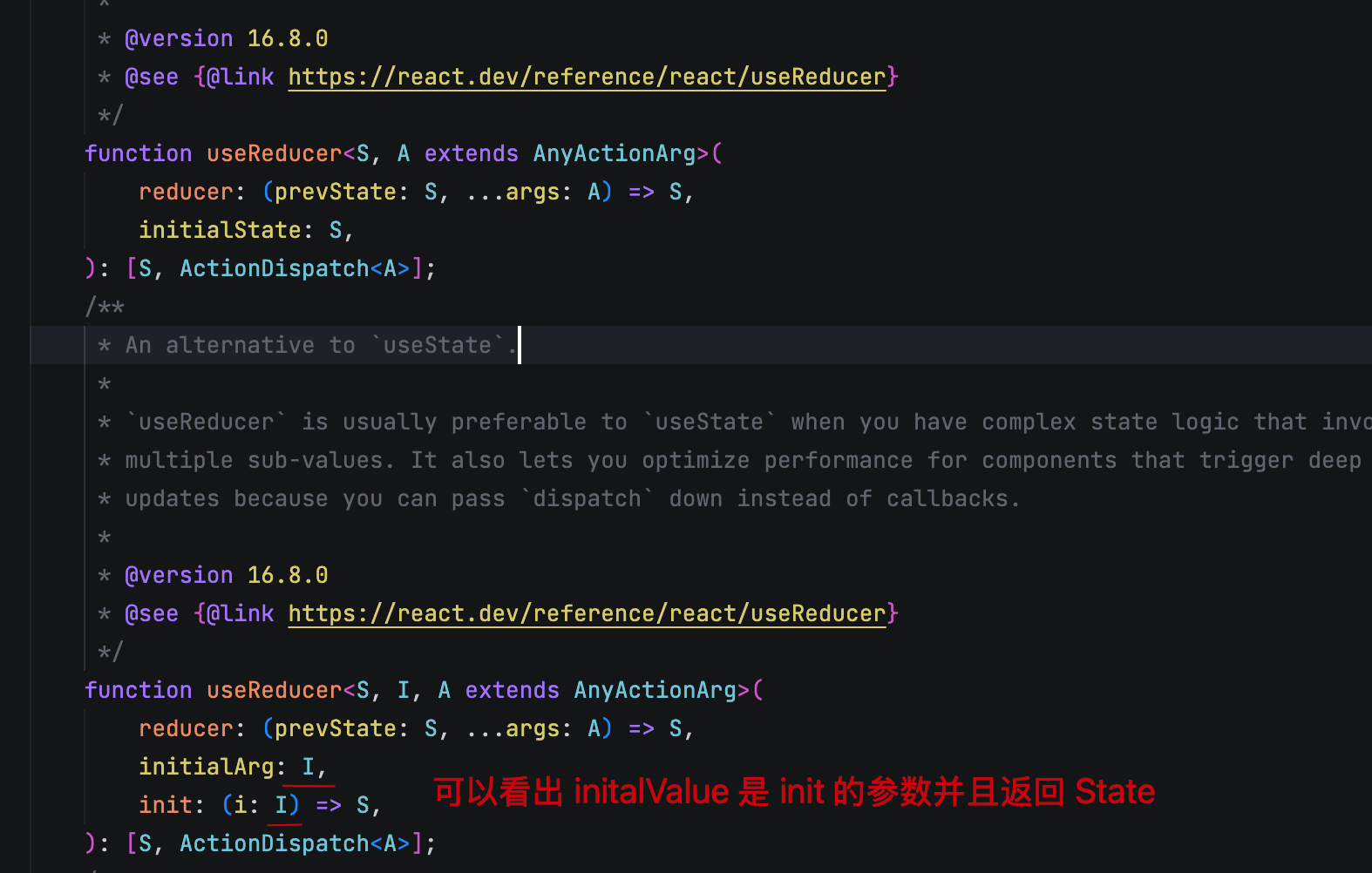
如果需要初始值的话,对应的泛型也需要做出调整
const [state, dispatch] = useReducer<State, number, [Action]>(
  reducer,
  0,
  (count: number) => ({ count }),
);
useContext
createContext 及 useContext 使用传入的类型。
export type Config = {
  theme: 'dark' | 'light'
}
const AppConfig = createContext<Config>({ theme: 'dark' });

const Child = () => {
  const appConfig = useContext<Config>(AppConfig);
  return <div>{appConfig.theme}</div>
}

const App = () => {
  const [config, setConfig] = useState<Config>({ theme: 'dark' });
  return <AppConfig value={config}>
    <Child />
  </AppConfig>
}useRef
ref 的返回类型是 RefObject<T>。包含其 current 属性。
使用方式一般两种,绑定到 DOM 或者绑定值(比如异步 effect 中获取最新的 state)
const inputRef = useRef<HTMLInputElement>(null);

const countRef = useRef<number>(0);
forwardRef
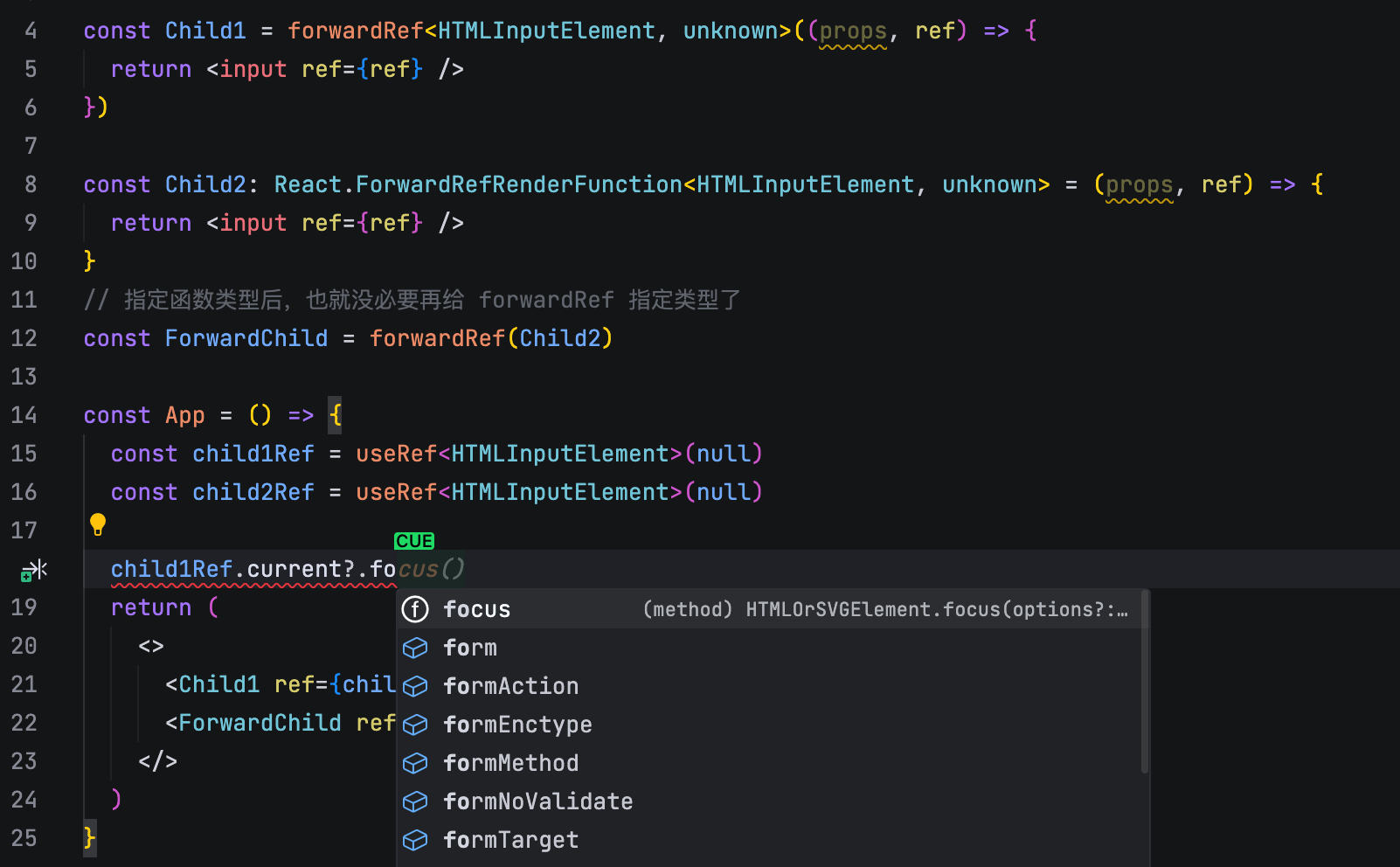
当需要透传 ref 时,函数组件的类型不再是 React.FC,而是 React.ForwardRefRenderFunction。接收两个泛型参数,第一个是透传的 ref 类型,第二个是 props 类型。
同时 forwardRef 也可以指定两个泛型参数,同上。
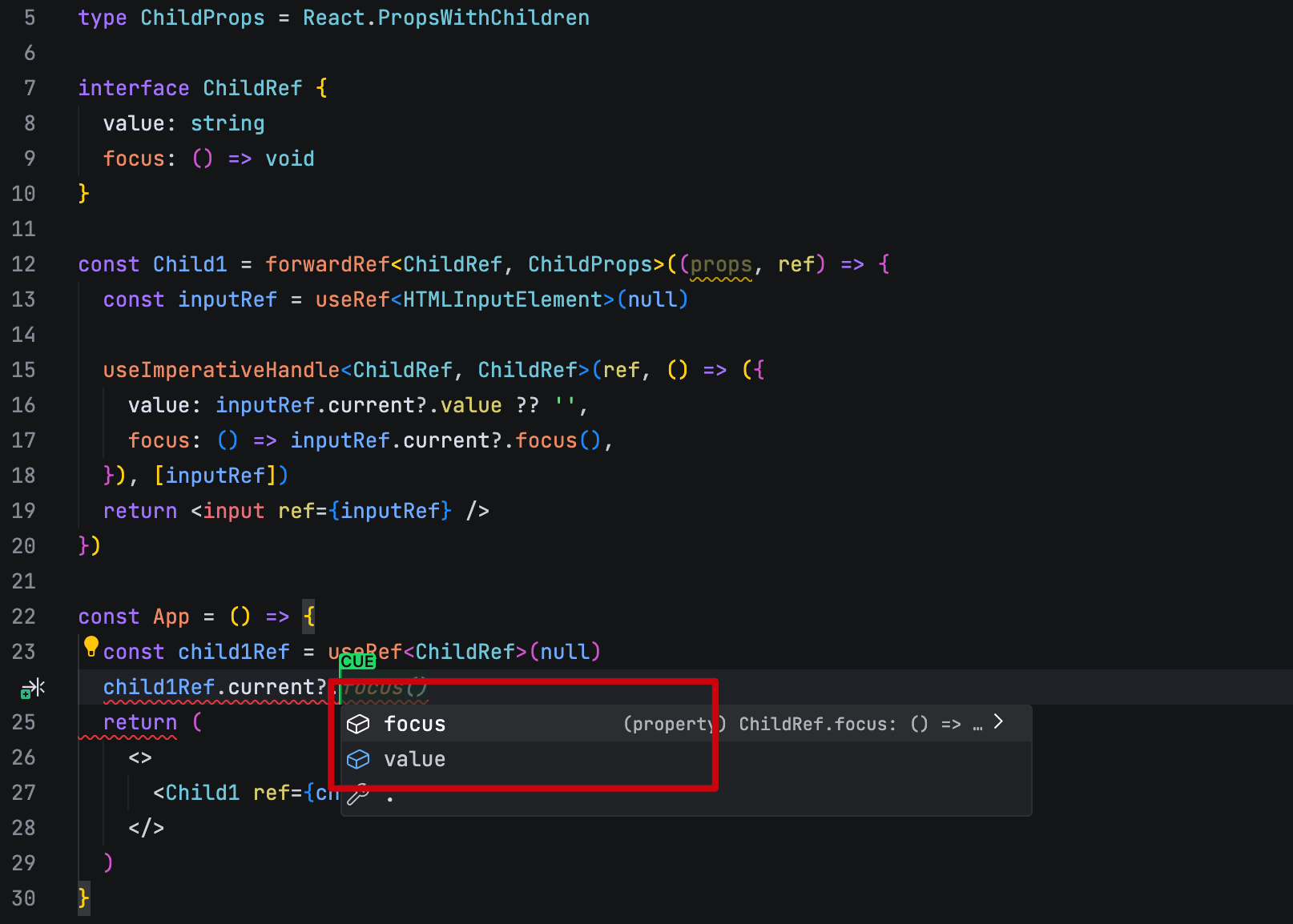
useImperativeHandle
自定义 ref 的类型,一般来说只需要修改 forwardRef 和 React.ForwardRefRenderFunction 的泛型参数即可。
useImperativeHandle 也有自己的类型可以声明。实际上不声明基本也不会有类型错误
memo
指定 memo 的泛型参数,就是 props 的类型。
const MemoizedComp = memo<ComponentProps>(Comp);useMemo
指定 useMemo 的泛型参数,就是返回值的类型。一般直接使用推导即可。
const memoizedValue = useMemo<number>(() => expensiveComputation(), [deps]);useCallback
指定 useCallback 的泛型参数,就是返回值的类型。一般直接使用推导即可。
const memoizedCallback = useCallback<(a: number, b: number) => number>(
  (a, b) => a + b,
  [deps],
);