CAUTION
自定义 Hooks 必须以 use 开头,实际上是对一类功能的封装和函数一样的性质,只是内部使用了 React 提供的 Hooks。
useMountedState
IMPORTANT
检查组件的挂载状态
type useMountedState = () => () => boolean;通过 useRef 保存状态,避免不必要的渲染,用 useCallback 包裹函数,即便使用者用了 memo 也不会导致重新渲染。
export const useMountedState = () => {
  const mountedRef = useRef(false);
  const get = useCallback(() => mountedRef.current, []);

  useEffect(() => {
    mountedRef.current = true;
    return () => {
      mountedRef.current = false;
    };
  }, []);

  return get;
};export default function App () {
const isMounted = useMountedState();
const [,setCount] = useState(0);
useEffect(() => {
setTimeout(() => {
setCount((prev) => prev + 1);
}, 1000);
}, [isMounted]);
return ( isMounted() ? 'mounted' : 'updated' );
}useLifeCycles
IMPORTANT
组件的生命周期钩子
type useLifeCycles = (mounted: () => void, unmounted: () => void) => void;通过 useEffect 的特性,当组件挂载时,执行 mounted 函数,当组件卸载时,执行 unmounted 函数。
export const useLifeCycles = (mounted: () => void, unmounted: () => void) => {
  useEffect(() => {
    mounted();
    return () => {
      unmounted();
    };
  }, []);
};const Child = () => {
useLifeCycles(() => {
console.log('mounted');
}, () => {
console.log('unmounted');
});
return 'child'
}
export default function App () {
const [visible, setVisible] = useState(false);
return (
<>
<button onClick={() => setVisible(!visible)}>
{visible ? 'hide' : 'show'}
</button>
{visible && <Child />}
</>
);
}useCookie
IMPORTANT
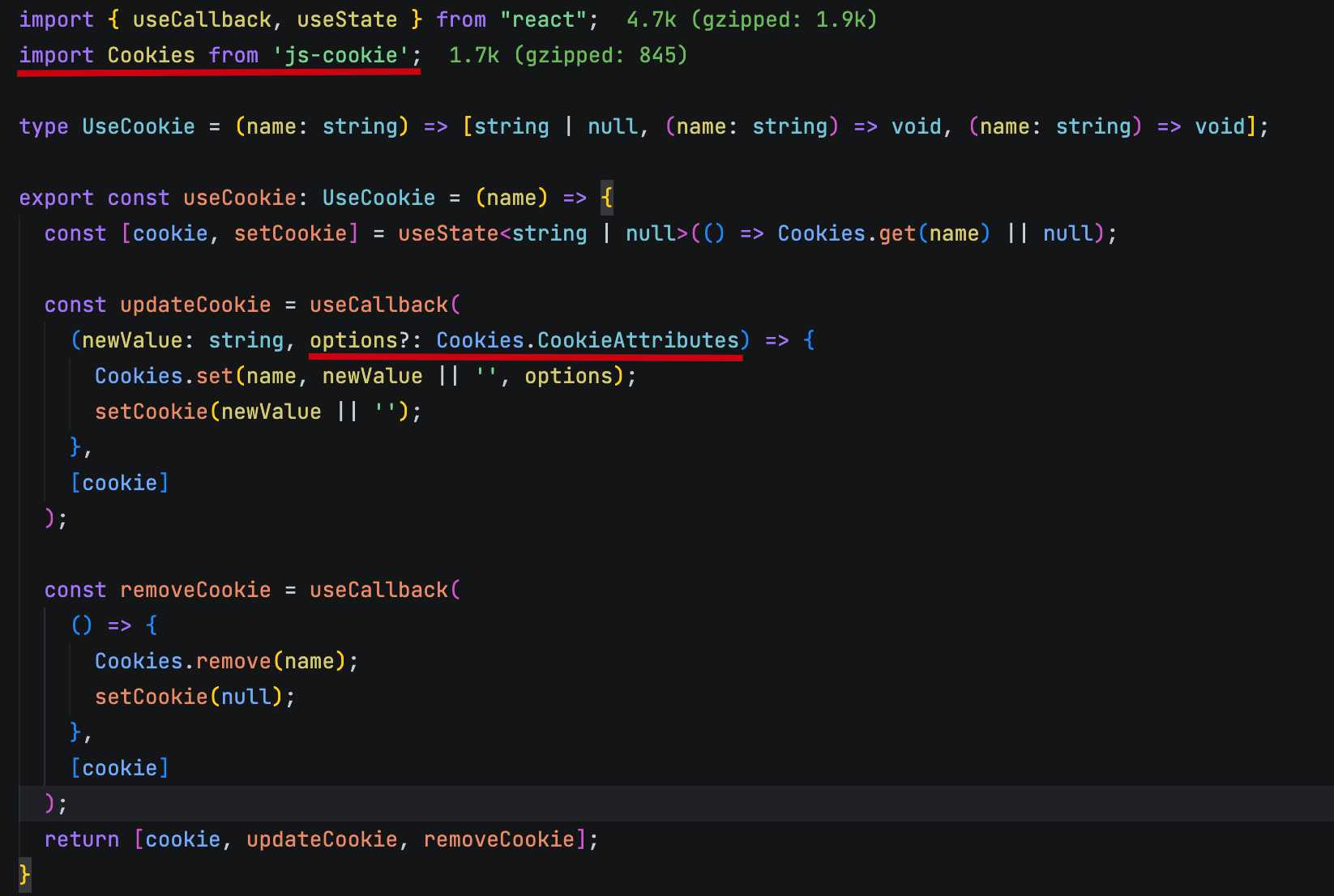
操作浏览器 Cookies 的 Hook,基于 js-cookie 库。
通过 useState 保存 Cookies 的值,再提供 update 及 remove 方法。
hooks 中的方法尽量用 useCallback 包裹,避免不必要的渲染。
useHover
IMPORTANT
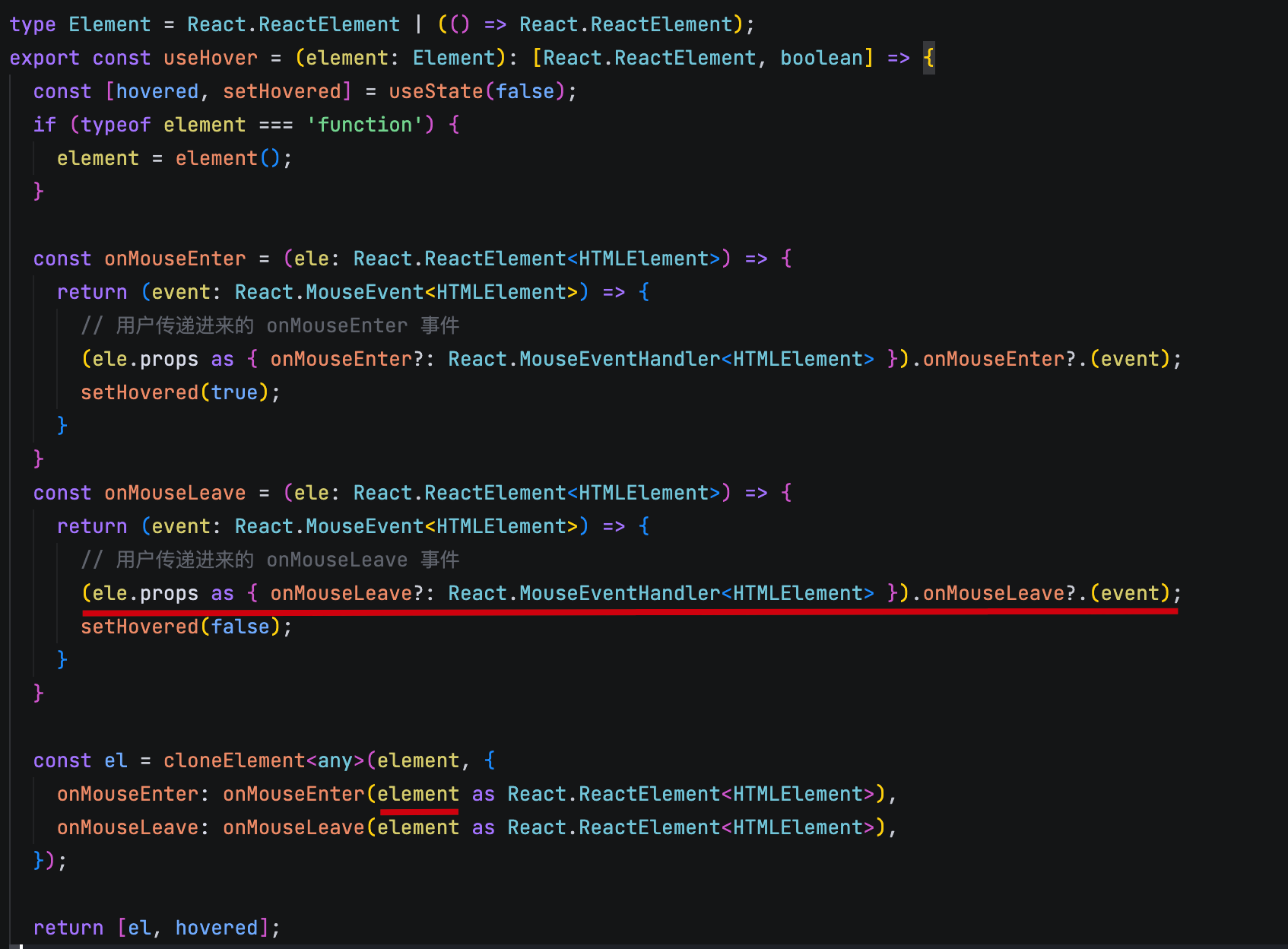
通过 js 中的 mouseenter 和 mouseleave 事件,检查元素是否悬停。
核心是复制用户提供的 jsx,并在上面增加 mouseenter 和 mouseleave 事件返回一个新的 jsx。并额外提供一个 hover 状态。
注意不要覆盖元素本身的事件。
比较重要的是事件是函数返回函数,第一个函数的目的是为了接收 element,第二个则是真正的事件处理函数。
useScrolling
IMPORTANT
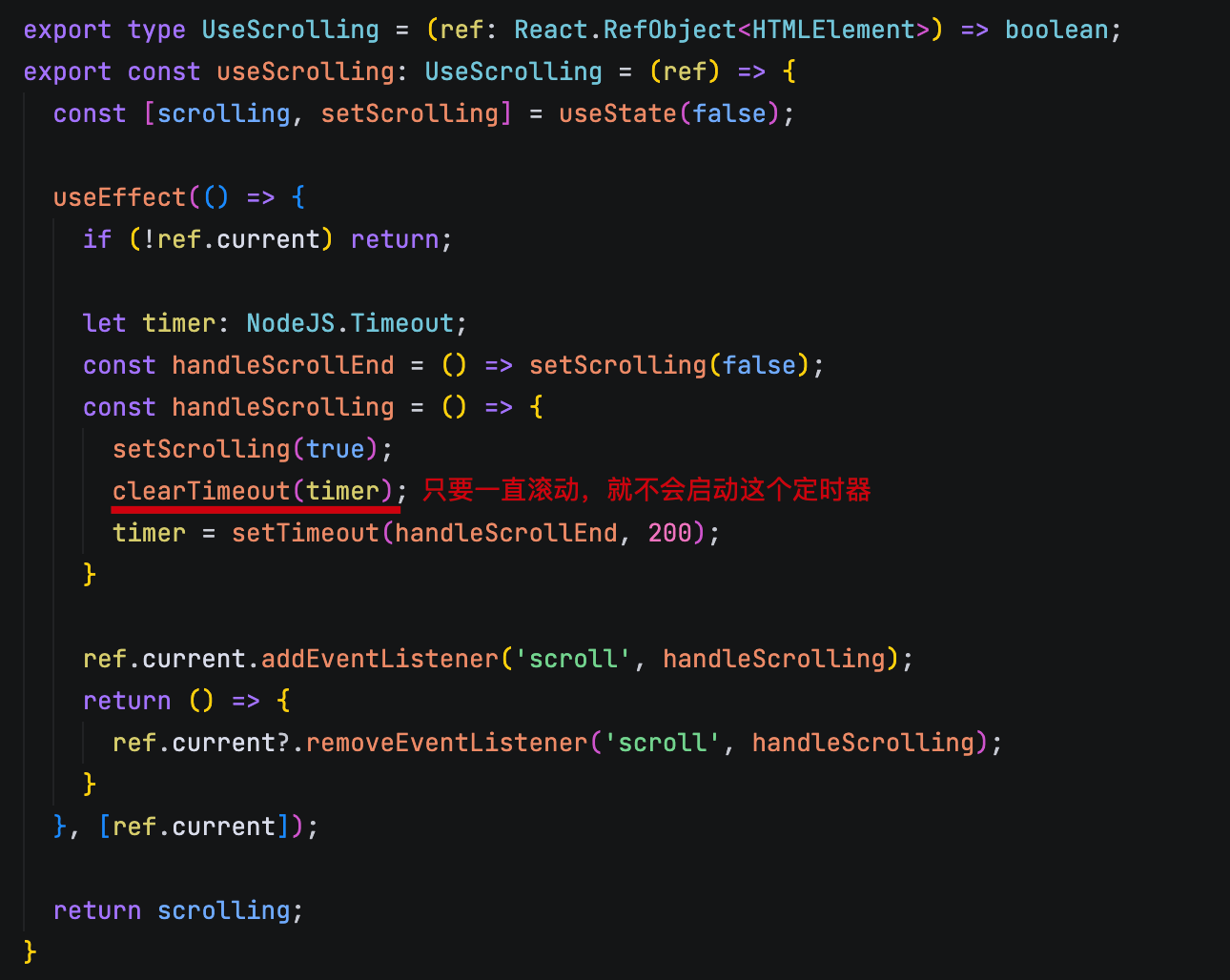
检查元素是否滚动
type UseScrolling = (ref: React.RefObject<HTMLElement>) => boolean;实际上这个 hook 也可以使用 element 的方式去创建,二者的区别就是如果内部 clone 元素的话,直接覆盖了用户传递的数据,比如事件
如果使用 ref 的话,则可以通过 addEventListener 来添加事件,支持重复多个的添加。
useSize
IMPORTANT
检查元素的大小变化,通过 resizeObserver 实现。
type UseSize = (ref: React.RefObject<HTMLElement>) => {
  width: number;
  height: number;
};type ReturnType = {
width: number;
height: number;
} | undefined;
type UseSize = (ref: React.RefObject<HTMLElement | null>) => ReturnType;
export const useSize: UseSize = (ref) => {
const [size, setSize] = useState<ReturnType>(() => {
if (!ref.current) return undefined;
return {
width: ref.current.clientWidth,
height: ref.current.clientHeight,
}
});
useEffect(() => {
if (!ref.current) return;
const observer = new ResizeObserver((entries) => {
for (const entry of entries) {
const { clientWidth, clientHeight } = entry.target;
setSize({
width: clientWidth,
height: clientHeight,
});
}
});
observer.observe(ref.current);
return () => {
observer.disconnect();
};
}, [])
}useTimeout
IMPORTANT
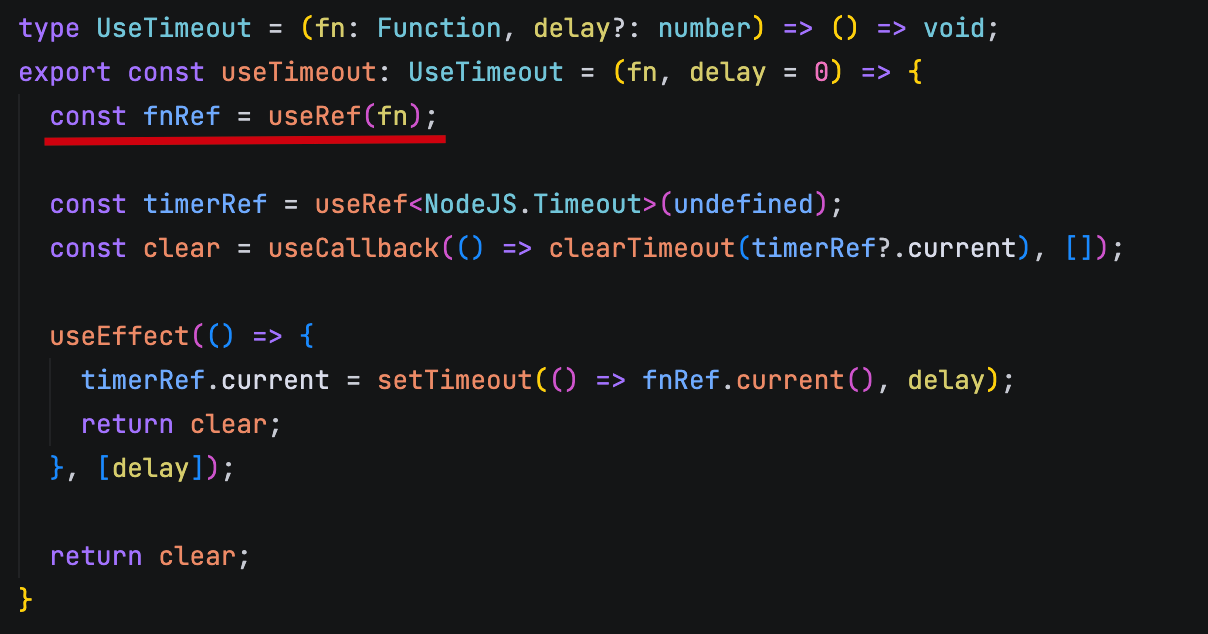
定时器 Hook,基于 setTimeout 实现。
type UseTimeout = (callback: () => void, delay?: number) => () => void;核心在于通过 ref 保存定时器函数,避免不必要的更新
useWhyDidYouUpdate
IMPORTANT
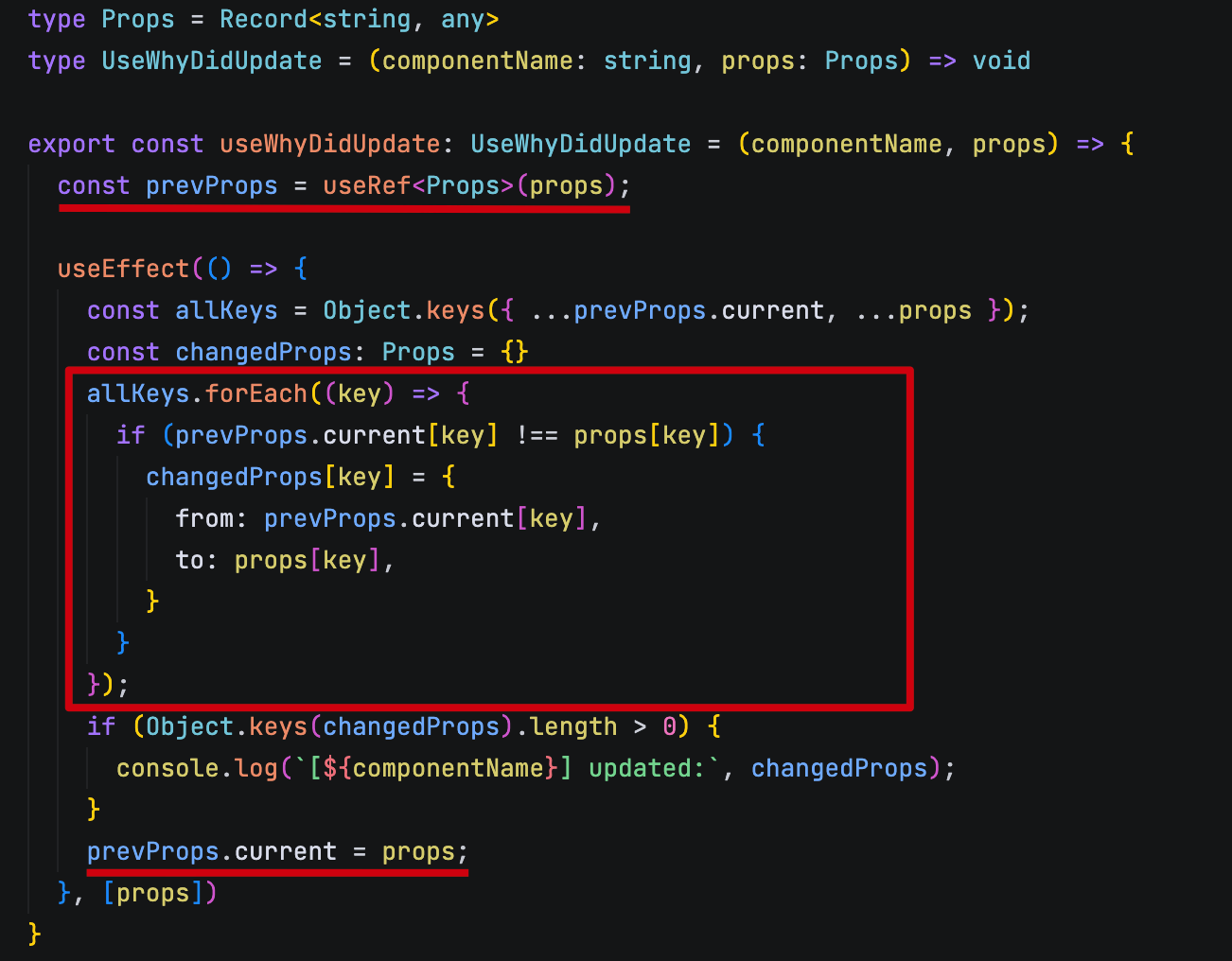
打印组件哪些 props 变化了,包含旧的值和老的值。
type UseWhyDidYouUpdate = (name: string, props: Record<string, any>) => void;核心在于通过 useEffect 监听 props 的变化,当变化时,打印出变化的 props。旧的 props 则通过 useRef 保存。最后再同步更新旧的 props。
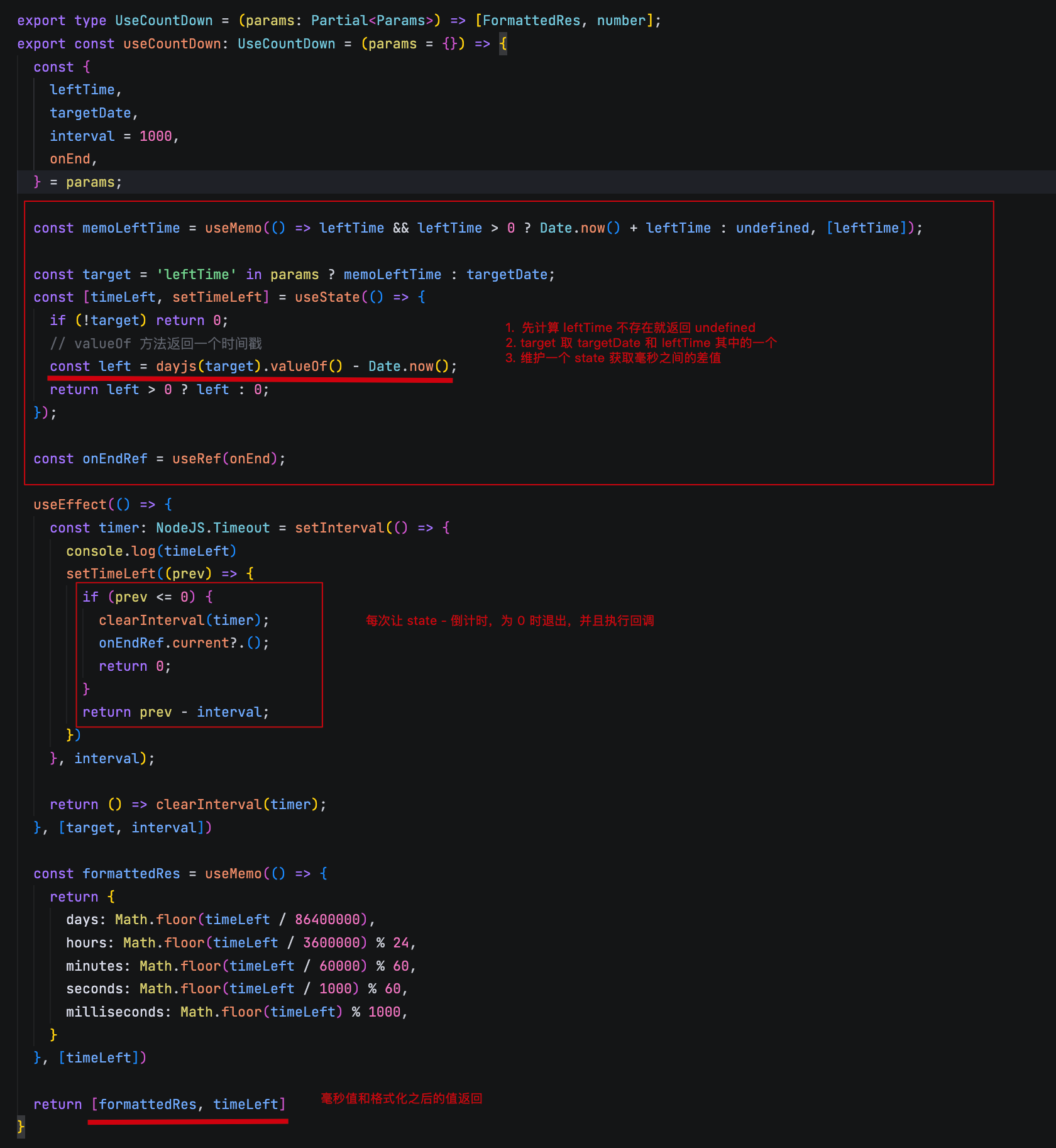
useCountDown
IMPORTANT
倒计时 Hook,
type ReturnValue = {
  days: number;
  hours: number;
  minutes: number;
  seconds: number;
  milliseconds: number;
};

type UseCountDown = (
  leftTime?: number,
  targetDate?: dayjs.ConfigType,
  interval?: number,
  onEnd?: () => void,
) => [ReturnValue, number];
从 leftTime 或者 targetDate 中计算到今天的时间差,返回一个对象,包含天、时、分、秒、毫秒。
通过定时器进行倒计时,每次倒计时结束后,调用 onEnd 函数。并返回当前倒计时的值。